Wednesday, October 24, 2018

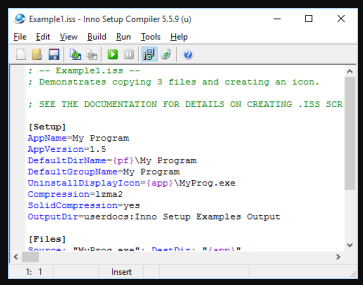
Inno Setup : is a free installer for Windows programs

Inno Setup is a free installer for Windows programs by Jordan Russell and Martijn Laan. First introduced in 1997, Inno Setup today rivals and even surpasses many commercial installers in feature set and stability.


Saturday, October 13, 2018

Maven: Standard Directory Structure

If we want to understand how maven works you need to understand about Maven Standard Directory Structure.

https://maven.apache.org/guides/introduction/introduction-to-the-standard-directory-layout.html

https://www.baeldung.com/maven-directory-structure


Friday, October 12, 2018

Maven: How to create executable JAR

If you want to  work on  Java world you must learn maven. in this article I will show how you can create an executable JAR file using maven.

For now i am using the reference of the following article.

https://www.baeldung.com/executable-jar-with-maven

Thursday, September 20, 2018

How DNS (Domain Name system ) server works


Mule: How to ignore munit test cases

Sometimes just to get a quick success build you might need to disable/ignore/skip some of the munit test cases.

you can do you by double clicking on the munit test cases and by selecting the "Ignore test" from the property view.


From Maven Console:

If you want to all all the Munit Test you can do it using "DskipMunitTests" flat

 $ mvn clean package  -DskipMunitTests


Related Info:
Munit Best practice: https://www.mulesoft.com/ty/webinars/best-practices-testing-mule-applications


Thursday, September 6, 2018

Nginx: Tips and Tricks

What is the Configuration File for Nginx and where it can be in UNIX like Systems?

Configuration file is named nginx.conf and placed in the directory;
 /usr/local/nginx/conf, /etc/nginx     or
/usr/local/etc/nginx          depends on distribution.


what are the configuration files available for Nginx ?

       1.      Default configuration directory: /etc/nginx/
2.      Default SSL and vhost config directory: /etc/nginx/conf.d/
3.      Default log file directory: /var/log/nginx/
4.      Default document root directory: /usr/share/nginx/html
5.      Default configuration file: /etc/nginx/nginx.conf
6.      Default server access log file: /var/log/nginx/access.log
7.      Default server access log file: /var/log/nginx/error.log

       How to check nginx syntax or configuration:

         sudo /etc/init.d/nginx configtest

           
        How to Reload Nginx:


         sudo /etc/init.d/nginx reload


Tuesday, September 4, 2018

Docker: Some Important Commands

Start Docker :

$ sudo systemctl start docker                                                                                             


List All the Available Docker Images :

  $ sudo docker images                              


Download a docker image from docker hub:


 $ sudo docker pull rabbitmq                     


Management Commands:
  config      Manage Docker configs
  container   Manage containers
  image       Manage images
  network     Manage networks
  node        Manage Swarm nodes
  plugin      Manage plugins
  secret      Manage Docker secrets
  service     Manage services
  stack       Manage Docker stacks
  swarm       Manage Swarm
  system      Manage Docker
  trust       Manage trust on Docker images
  volume      Manage volumes

Commands:
  attach      Attach local standard input, output, and error streams to a running container
  build       Build an image from a Dockerfile
  commit      Create a new image from a container's changes
  cp          Copy files/folders between a container and the local filesystem
  create      Create a new container
  deploy      Deploy a new stack or update an existing stack
  diff        Inspect changes to files or directories on a container's filesystem
  events      Get real time events from the server
  exec        Run a command in a running container
  export      Export a container's filesystem as a tar archive
  history     Show the history of an image
  images      List images
  import      Import the contents from a tarball to create a filesystem image
  info        Display system-wide information
  inspect     Return low-level information on Docker objects
  kill        Kill one or more running containers
  load        Load an image from a tar archive or STDIN
  login       Log in to a Docker registry
  logout      Log out from a Docker registry
  logs        Fetch the logs of a container
  pause       Pause all processes within one or more containers
  port        List port mappings or a specific mapping for the container
  ps          List containers
  pull        Pull an image or a repository from a registry
  push        Push an image or a repository to a registry
  rename      Rename a container
  restart     Restart one or more containers
  rm          Remove one or more containers
  rmi         Remove one or more images
  run         Run a command in a new container
  save        Save one or more images to a tar archive (streamed to STDOUT by default)
  search      Search the Docker Hub for images
  start       Start one or more stopped containers
  stats       Display a live stream of container(s) resource usage statistics
  stop        Stop one or more running containers
  tag         Create a tag TARGET_IMAGE that refers to SOURCE_IMAGE
  top         Display the running processes of a container
  unpause     Unpause all processes within one or more containers
  update      Update configuration of one or more containers
  version     Show the Docker version information
  wait        Block until one or more containers stop, then print their exit codes


5 Strategies for Getting More Work Done in Less Time

Summary.    You’ve got more to do than could possibly get done with your current work style. You’ve prioritized. You’ve planned. You’ve dele...